Free template · Excel & Google Sheets
Free invoice template
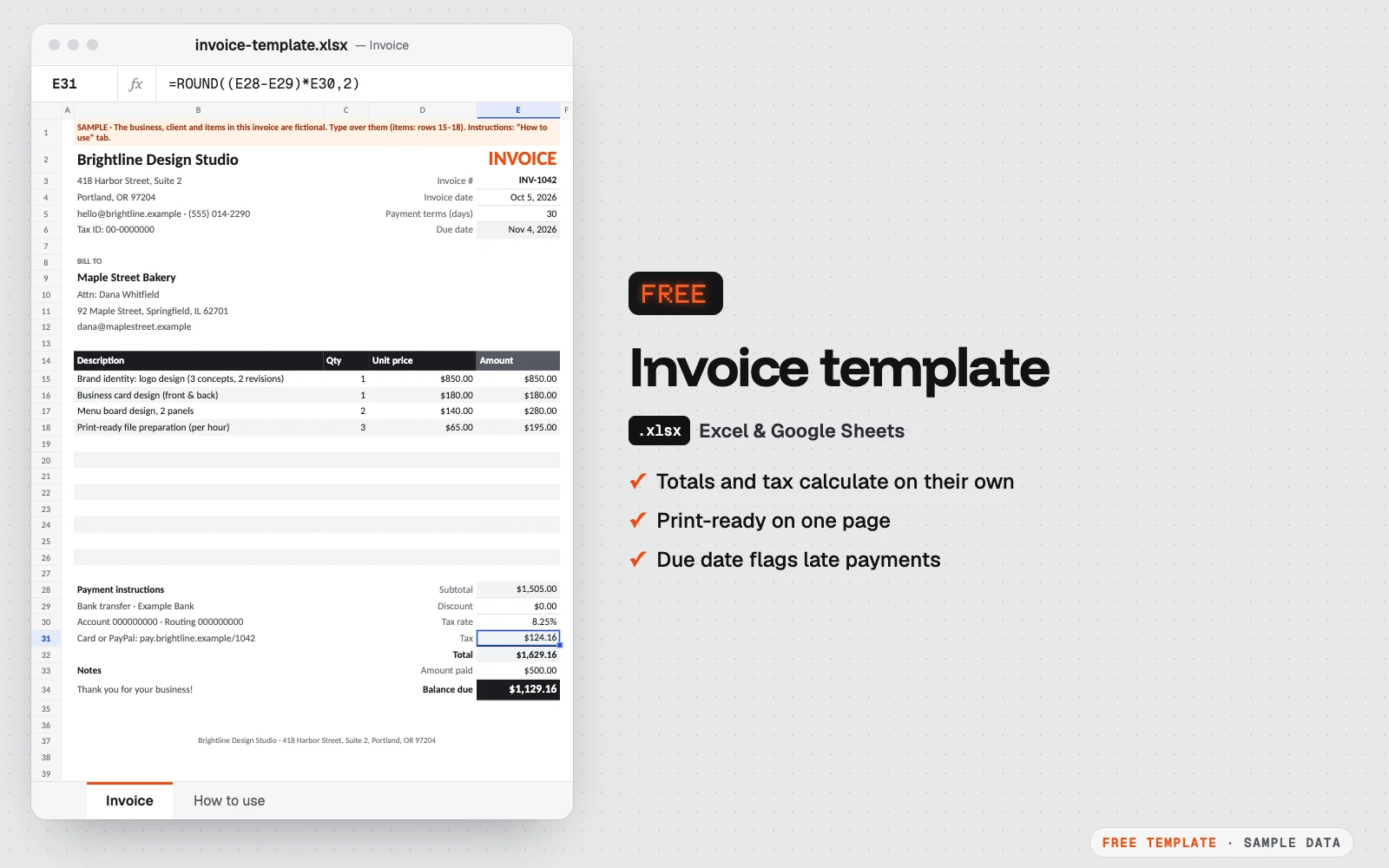
A clean one-page invoice for Excel and Google Sheets. Type your items: amounts, tax, total and balance due calculate on their own. Print it or save it as PDF.
- No macros
- Sample data included
- Print-ready
Get the free template
Free, instant download. Tell us a little about you so we only send what’s useful.
Google Sheets: in Google Drive, New → File upload, then open the file with Google Sheets.
What’s inside
- One-page invoice with your business details, the client and up to 12 lines
- Line amounts, subtotal, discount, tax, total and balance due calculated for you
- Payment terms drop-down: the due date fills in and turns red once it has passed
- “Paid in full” appears when the balance reaches zero
- Print setup done: fits one page, ready to save as PDF
- A “How to use” tab with step-by-step instructions
Who it’s for
- Freelancers and consultants
- Small shops, studios and agencies
- Trades and contractors who invoice a few clients a month
Google Sheets version. The Google Sheets copy is the same template without Excel “table” objects, which Google Sheets doesn’t convert cleanly: lists use plain formatting, banded rows and a filter instead. Formulas, drop-downs and colors work the same. Print settings are chosen in File → Print.
How to use it
- 1Download the file and open it in Excel, Google Sheets or Numbers.
- 2Replace the sample business details at the top with yours, then save it as your blank template.
- 3Type the invoice number, date and payment terms: the due date updates by itself.
- 4Fill in the client and the items: quantity × unit price, the totals follow.
- 5Save as PDF and send it. For the next invoice, duplicate the tab or the file.
Custom version
Want it customized for your business?
Want it automated for your business (dashboard, alerts, macros, connected to your data)? We build the custom version for you, at a fixed price.
For example: automatic invoice numbers, a log of every invoice with paid / unpaid status, reminders, one-click PDF export.
Formulas, macros & spreadsheet automation
Also useful: Excel or Google Sheets dashboard · from $149
Questions
How do I make an invoice in Excel?
Open this template, replace the sample business and client details, list what you sold with quantities and prices, and set your tax rate. The amounts, total and balance due calculate on their own. Then save it as PDF and send it.
Can I use this invoice template in Google Sheets?
Yes. Download the Google Sheets copy, then in Google Drive choose New → File upload and open the file with Google Sheets. Formulas and drop-downs work the same.
How do I save the invoice as a PDF?
In Excel on Windows: File → Save As → PDF. On a Mac: File → Export → PDF. In Google Sheets: File → Download → PDF. The page is already set up to fit on one sheet.
How should I number my invoices?
Use one sequence that never repeats, for example INV-1042, INV-1043… or 2026-001, 2026-002. Write the next number in the invoice number cell each time. If you want numbers and an invoice log filled in automatically, that’s what the custom version does.
What should an invoice include?
Your business name and contact details, the client’s details, an invoice number, the invoice date and due date, a description of each item with quantity and price, the tax, the total, and how to pay. All of these have a place in the template.
Is the template really free?
Yes. Download it, use it for your business and change it as you like. There are no macros and nothing to install.
More free templates
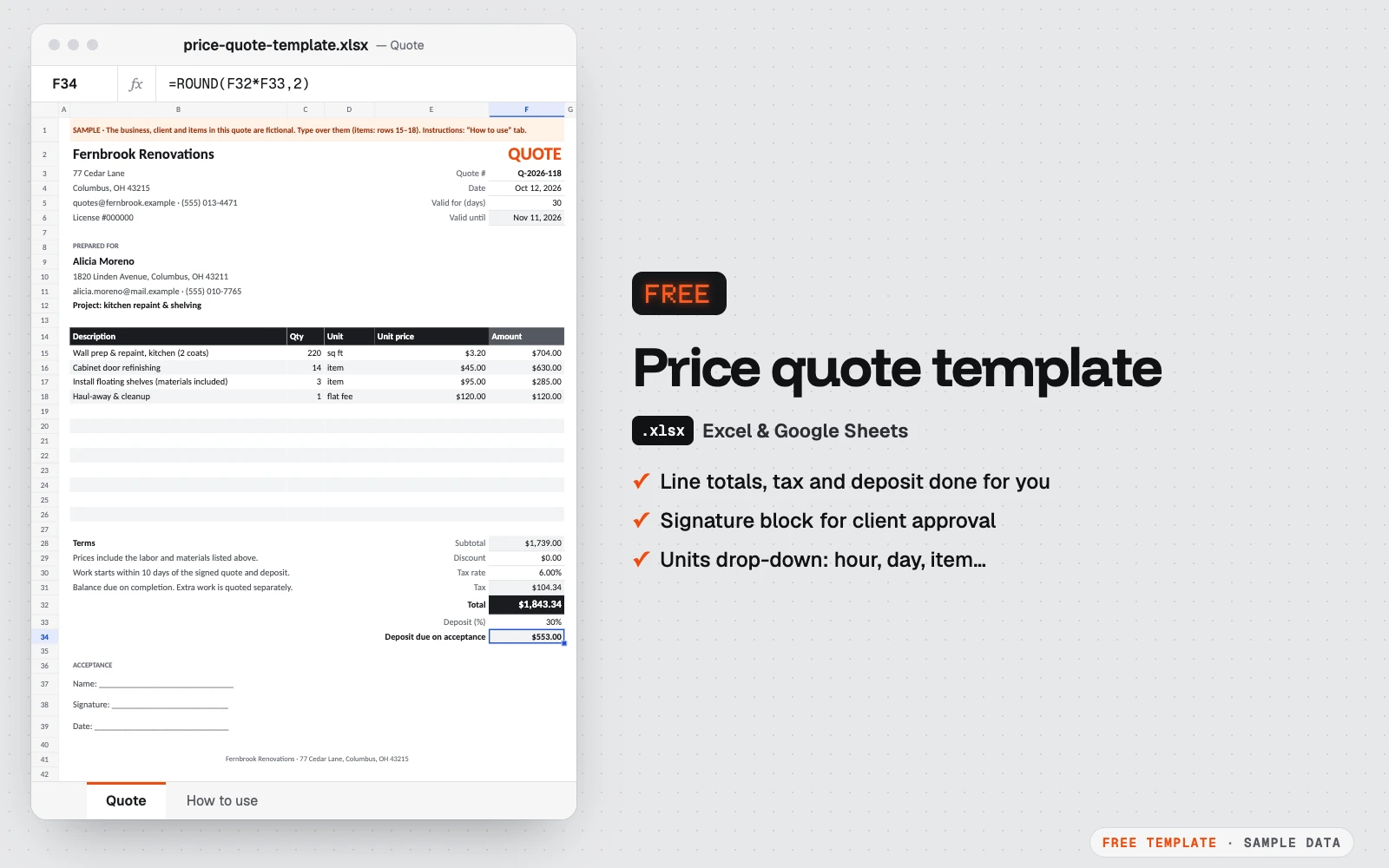
Free price quote template
A one-page quote your client can sign.
Excel · Google Sheets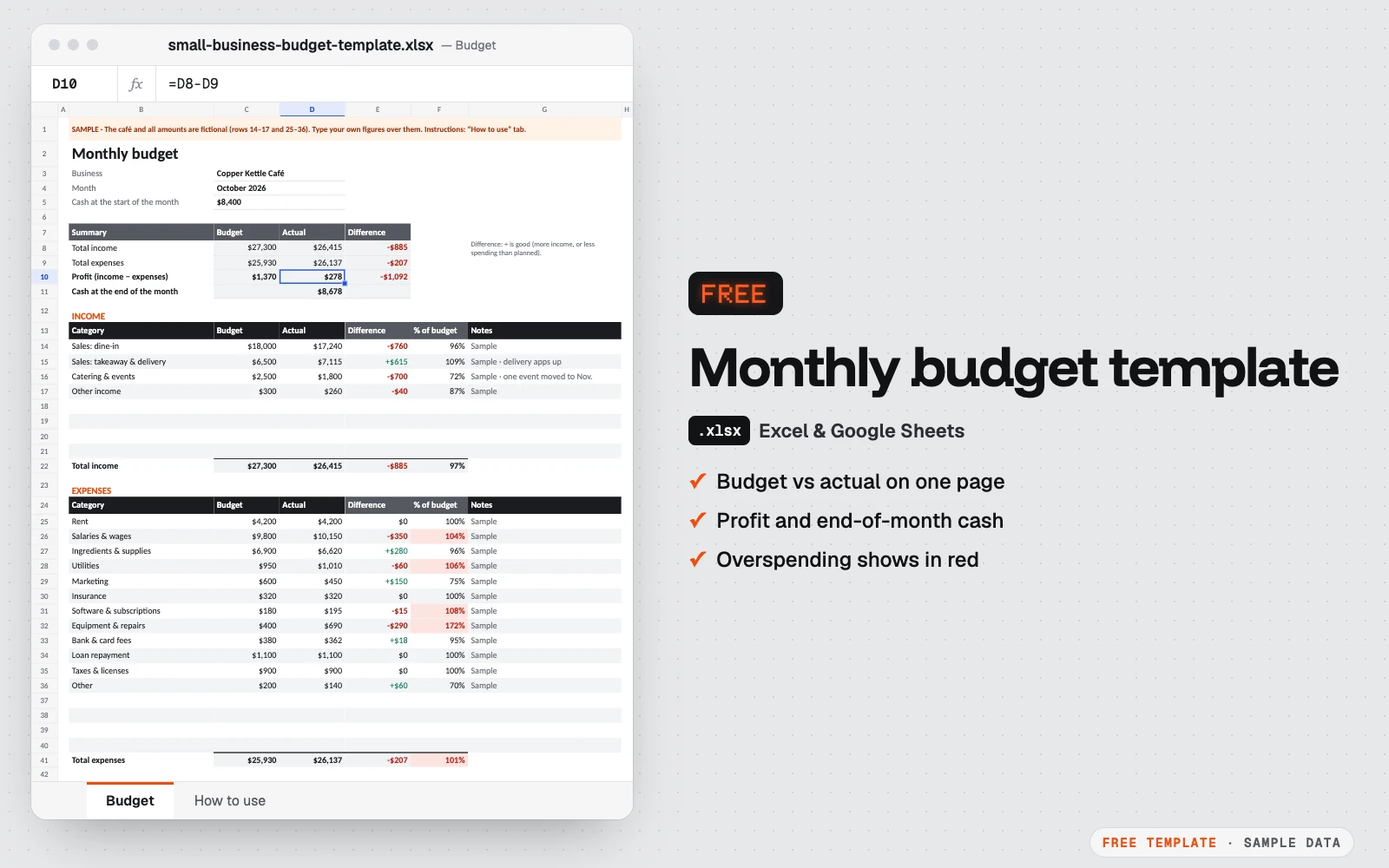
Free monthly budget template for small business
One month on one page: what you planned, what really happened, and the cash left at the end of the month.
Excel · Google Sheets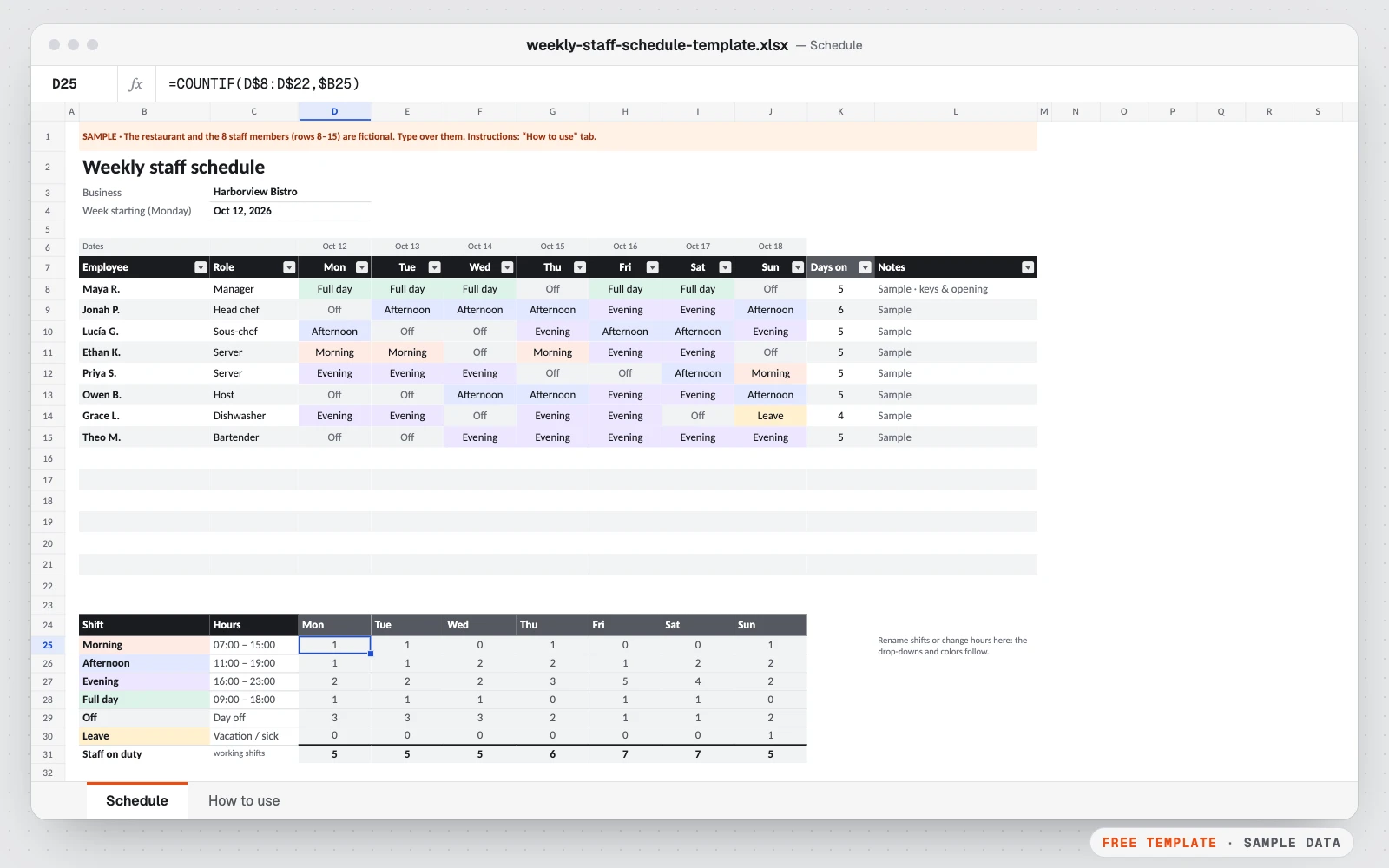
Free weekly staff schedule template
Plan who works when, at a glance.
Excel · Google Sheets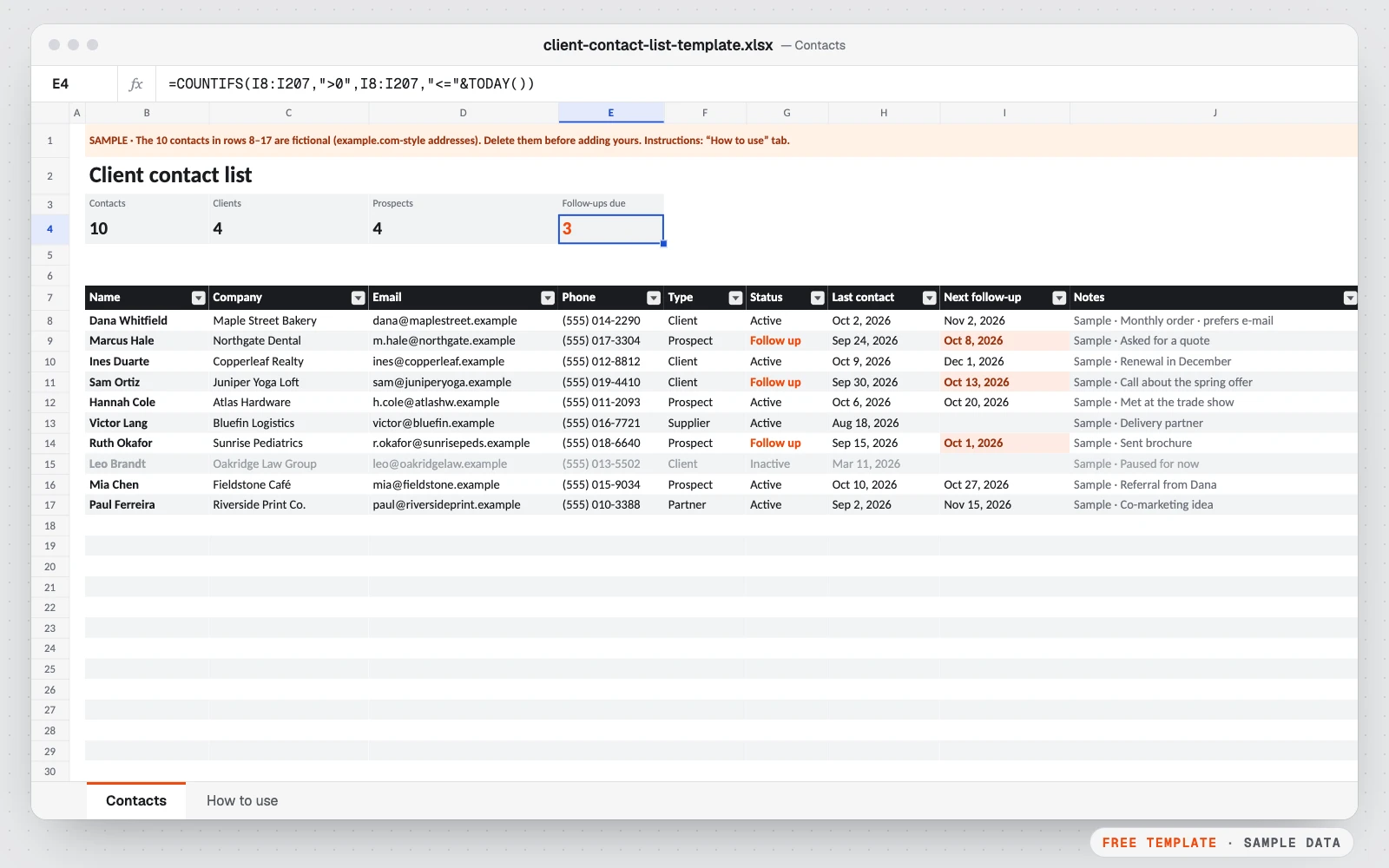
Free client contact list template
All your clients, prospects and suppliers in one list, with the date you last spoke and the date to follow up.
Excel · Google Sheets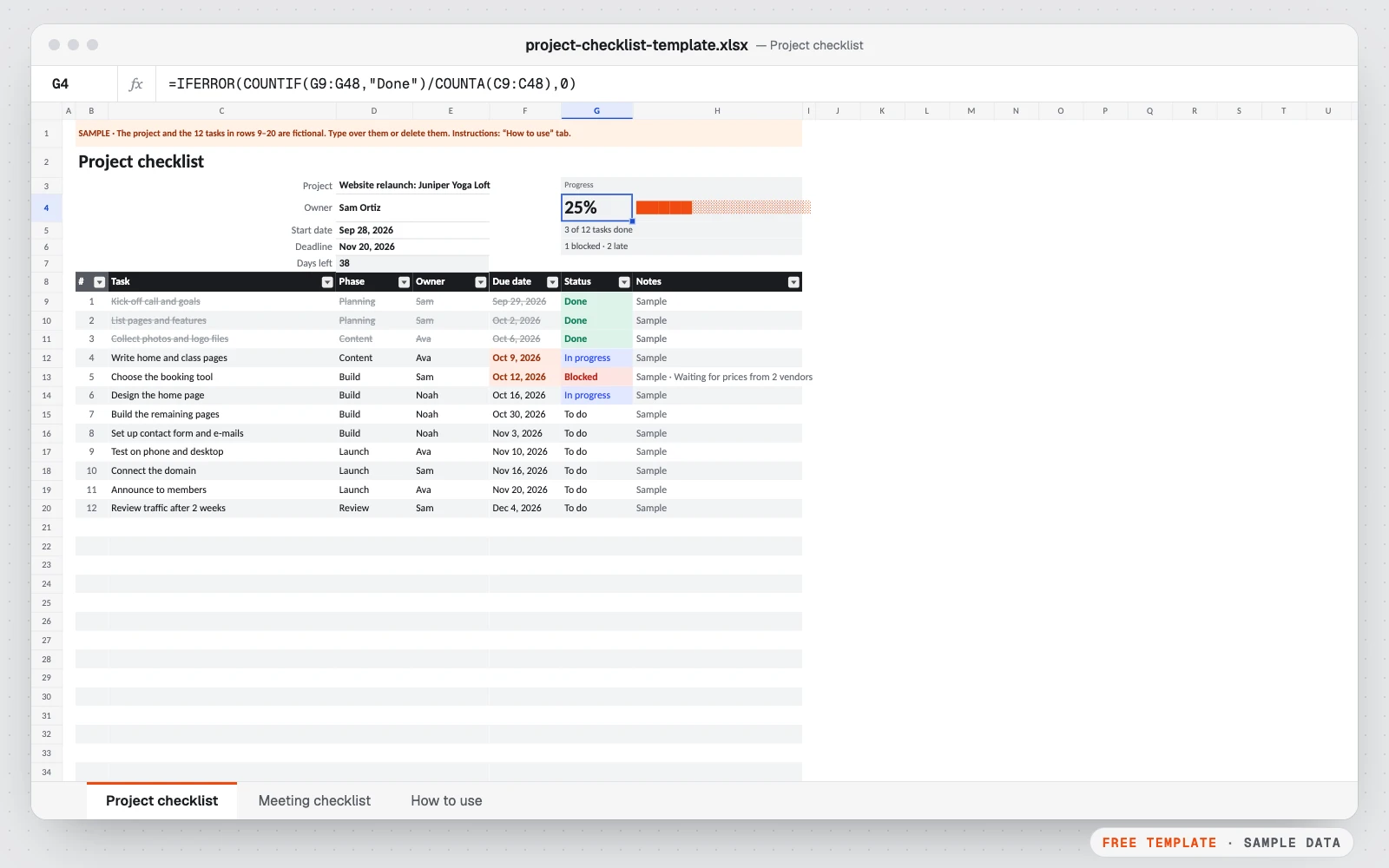
Free project & meeting checklist template
Two simple checklists in one file: one to keep a project on track, one to run a meeting that ends with clear action items.
Excel · Google Sheets